Google Drive is an online, cloud-based storage system with the space and flexibility to keep all of your files such as photos, video recordings, documents and illustrations in one place. Here at itGenius, we use Google Drive to collaborate on projects and share new ideas.
Here’s how you can get started with Google Drive and access all of your files, no matter where or on what device:
1. Getting Into Your Google Drive
You can access Google Drive by visiting https://drive.google.com/, or if you’re logged into your Gmail account, you can access Google Drive from the Apps dropdown menu.
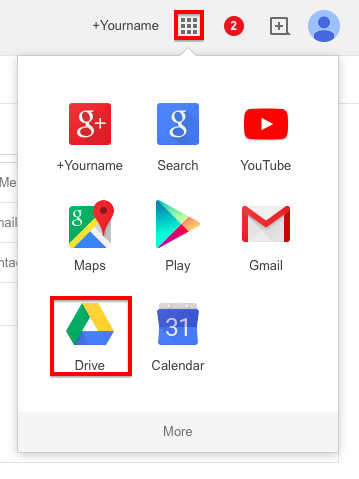
Alternatively, you can download Google Drive to access your files and folders from your computer, smartphone or tablet.
2. Creating new content in Google Drive
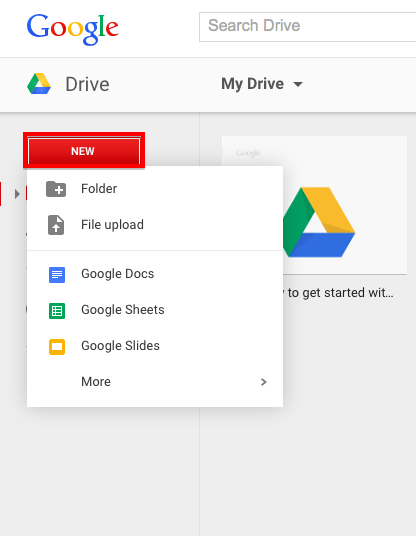
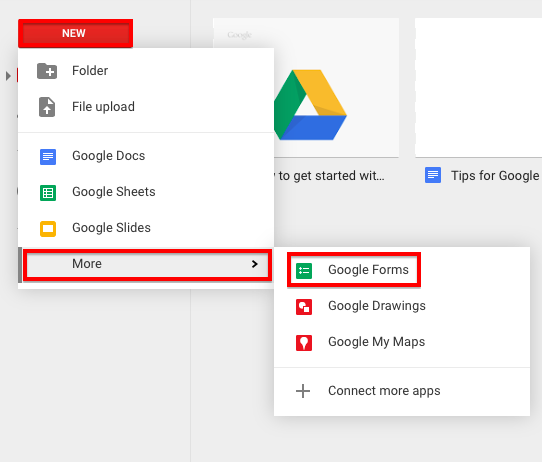
Unlike Dropbox or similar cloud-based storage systems, Google Drive also lets you create content rather than just uploading already created content. Click on the “New” tab to create a new document, spreadsheet or presentation.
3. Sharing your content with others
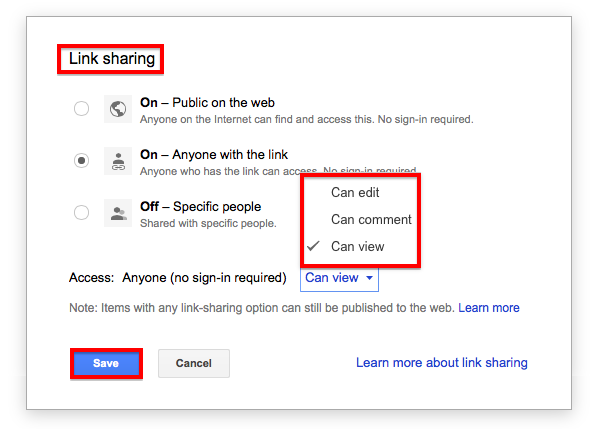
You can choose to share a file or folder with only specific individuals, different groups or your entire organisation. To do so, click on the “Share” button, then enter an email address and choose a permission level.
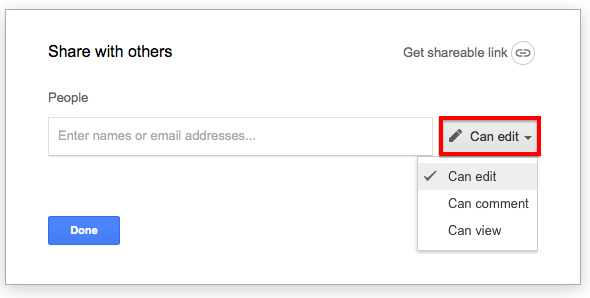
Editing permissions allows someone to make changes directly to your content. Commenting permissions limits others to making suggestions on the text or leaving sidebar comments. Viewing, of course, is the lowest level of permissions and locks your document from changes.
You also have the option to adjust permissions at a higher level rather than notifying people individually. Click on “Share” >> “Advanced” for more options. If using Google Apps for Work, you will also have the option to share with anyone at your company.
4. Use Google Forms for Data Gathering
If you need to create a company-wide survey or ask for feedback on how a project went, you may not want to use external platforms—and you won’t have to. Google Forms, accessible in your Drive, lets you create a variety of forms and even use your company’s own theme to keep things nice and on brand.
Have any questions about Google Drive or want to share your team uses Google Drive? Share in the comments section below!